
ISBN Barcodes for KDP Paperbacks: When You Need Your Own
KDP adds a barcode to your paperback for free. Here is when you still want your own, how to make one from your ISBN, and exactly where it goes on the back cover.
By Dau Le · · 5 min read
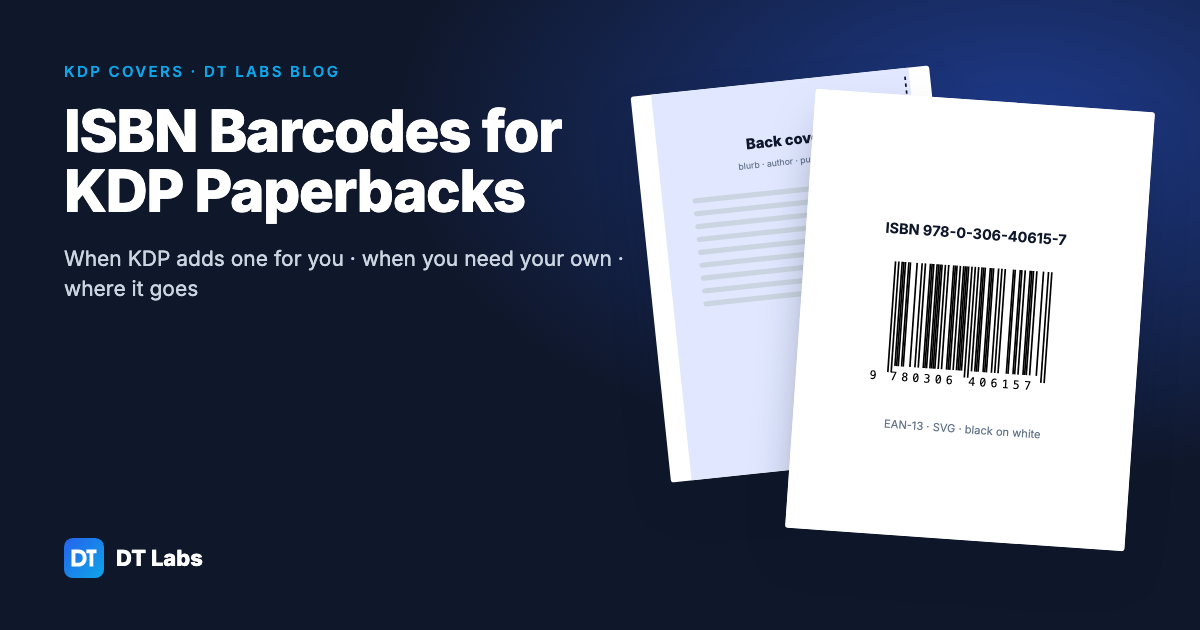
Every paperback sold through a bookshop needs a scannable barcode on the back. On KDP you usually do not have to make one — Amazon prints it for you. But there are good reasons to put your own barcode in the artwork, and if you do, it has to be the right kind, the right size and in the right place. This guide covers all three.
In short: leave the barcode area of your back cover blank and KDP adds a barcode for free. Make your own only when you want it in the artwork, for example to use the same cover file with another printer. Turn your ISBN-13 into an EAN-13 barcode with our free ISBN barcode generator, place it bottom right on a white box, about 1.5–2 inches wide, and tell KDP your cover already includes one.
Does KDP add a barcode for you?
Yes. If the barcode area of your back cover is empty, KDP prints a barcode there when it prints the book. That works whether you used the free ISBN that KDP assigns or an ISBN you bought yourself. For most self-published paperbacks this is the simplest option: leave the space clear and let KDP handle it.
When should you make your own barcode?
There are a few cases where adding the barcode yourself makes sense:
- You print the same book elsewhere. Other printers often expect the barcode in the cover file. One cover with the barcode built in is easier to keep in step across printers.
- You want control over the design. Your own barcode lets you choose the white box, its position within the barcode area and the space around it, instead of a box placed on top of your artwork.
- You want to check the proof. With the barcode in your file, what you see on screen is what will be printed, and you can scan it on the proof copy.
If none of these apply, the free KDP barcode is fine.
ISBN, ISBN-13 and EAN-13: what is the difference?
- ISBN is your book's number. Books since 2007 use the 13-digit form, ISBN-13, which starts with 978 or 979.
- ISBN-10 is the older 10-digit form. It becomes an ISBN-13 by adding 978 in front and working out a new check digit.
- EAN-13 is the barcode format that encodes those 13 digits. A book barcode is an EAN-13 barcode of the ISBN-13.
The last digit of an ISBN-13 is a check digit. Multiply the first 12 digits alternately by 1 and 3, add them up, and take the amount needed to reach the next multiple of 10. For 978-0-306-40615-?, the sum is 93, so the check digit is 7. A single wrong digit almost always breaks this, which is why a good barcode tool checks it before drawing anything.
How to make a barcode from your ISBN
- Open the free ISBN barcode generator.
- Type or paste your ISBN. Hyphens are fine. An ISBN-10 is converted to ISBN-13 for you.
- Wait for "Valid ISBN-13". If the check digit fails, the tool tells you which digit it expected — check for a typo before going further.
- Download the SVG. It is vector art, so it stays sharp at any size and drops straight into Canva, Affinity, Illustrator or Inkscape.
The tool draws the main EAN-13 barcode. It does not draw the small five-digit price add-on (EAN-5) that some bookshop books carry; KDP does not need it, and many self-published books leave it off.
Where does the barcode go on a KDP cover?
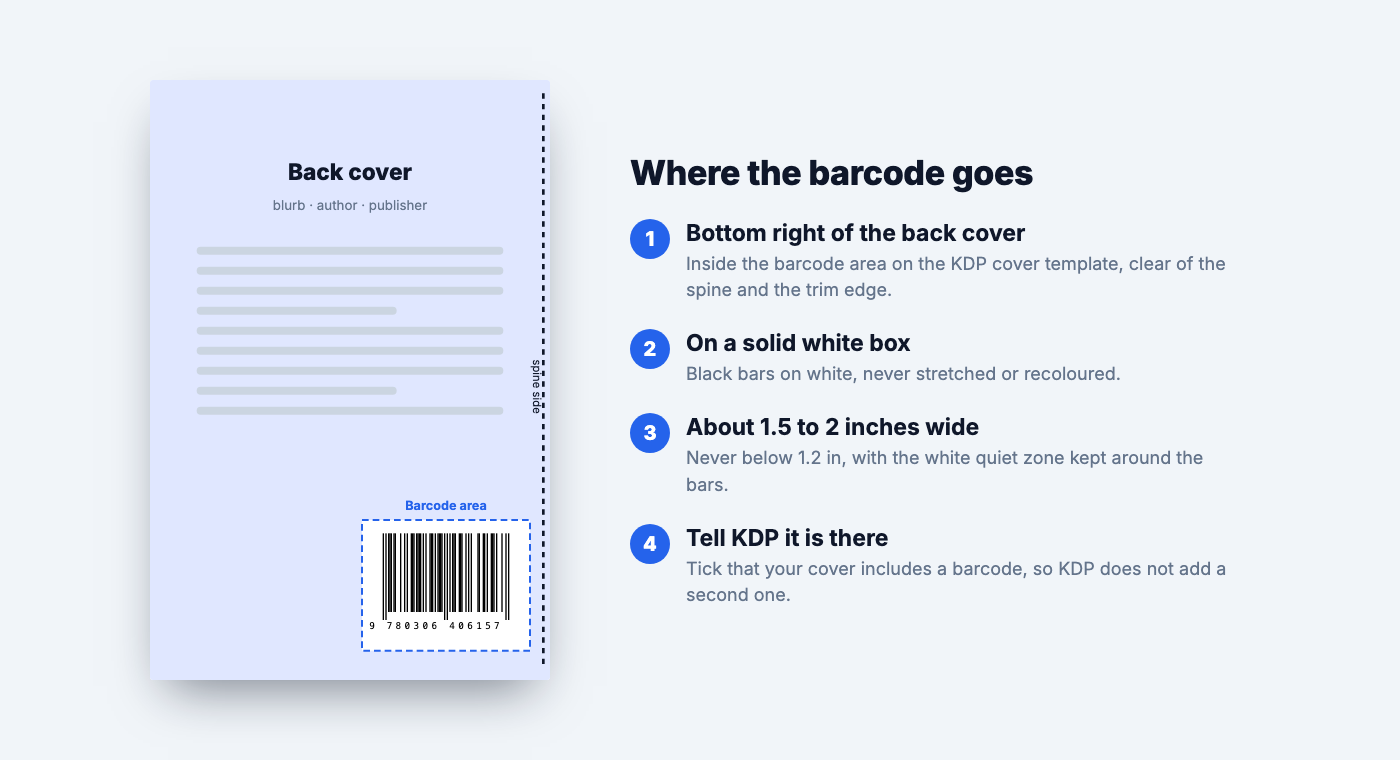
- Bottom right of the back cover. Download the cover template from KDP's cover calculator for your trim size, page count and paper; it marks the barcode area. Keep the barcode inside it, clear of the spine and the trim edge. Our spine width calculator gives you the full wrap size to check against the template.
- On a solid white box. Black bars on white scan best. Do not recolour the bars, put them on a pattern or stretch them.
- About 1.5 to 2 inches wide. Never narrower than 1.2 inches, and keep the white margin — the quiet zone — on both sides of the bars.
- Tell KDP. When you upload the cover, tick the option that says your cover already includes a barcode. If you leave it unticked, KDP adds its own barcode, and you may end up with two.
Common barcode mistakes
- The wrong ISBN. Each format needs its own ISBN: the paperback and the hardcover cannot share one, and neither can the ebook. Check that the number on the barcode matches the one entered in KDP for that edition.
- Too small or squashed. Shrinking a barcode to fit a busy design is the usual reason scanners fail.
- No quiet zone. Artwork running right up to the bars makes them hard to read.
- Low-resolution image. A blurry PNG pasted onto the cover prints with soft edges. Use the SVG, or export at 300 DPI or more.
- Barcode in the trim area. Anything closer to the edge than the template allows can be cut off.
Check the proof
Order a proof copy before you publish and scan the barcode with any free scanning app on your phone. It should read the same 13 digits as your ISBN. It takes a minute and saves reprinting a cover.
Before you publish
The barcode is one of the last details on a paperback. While you are on the cover, check the spine with the spine width calculator, and set your list price with the KDP royalty calculator, which shows the printing cost and the lowest price KDP will accept for your page count. If you are still choosing a size, see trim size for puzzle books.
Frequently asked questions
Does KDP add a barcode to my paperback?
Yes. If you leave the barcode area of the back cover empty, KDP prints a barcode there for free, whether you use a free KDP ISBN or your own.
Do I need my own ISBN to get a barcode?
No. KDP's free ISBN gets a free KDP barcode. You only need to make a barcode yourself if you want it in your own cover artwork.
How do I convert an ISBN to a barcode?
Enter the ISBN-13 in a barcode generator such as the free DT Labs ISBN barcode generator, check that the check digit is valid, and download the EAN-13 barcode as an SVG to place on your cover.
Where does the barcode go on a KDP cover?
At the bottom right of the back cover, inside the barcode area marked on the KDP cover template, on a white box and clear of the spine and the trim edge.
What size should a book barcode be?
About 1.5 to 2 inches wide, never narrower than 1.2 inches, with a white margin around the bars.
Can I convert an ISBN-10 to ISBN-13?
Yes. Add 978 in front of the first nine digits and work out a new check digit. The DT Labs ISBN barcode generator does this automatically.
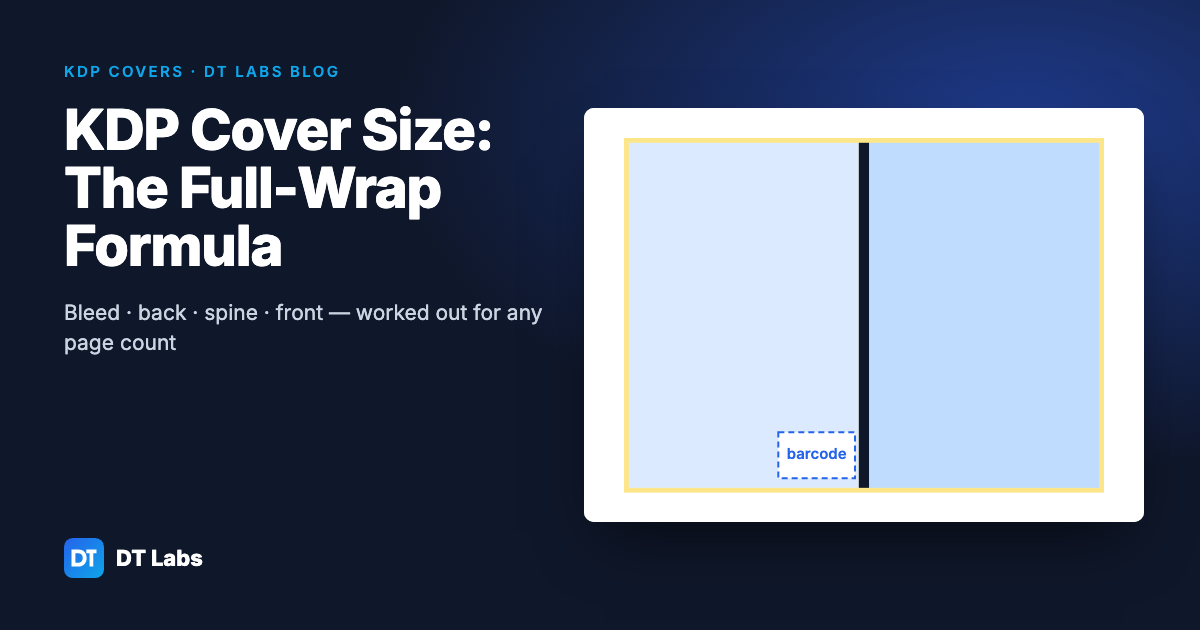
KDP Cover Size: How to Work Out a Full-Wrap Paperback Cover
A KDP paperback cover is one image: back, spine and front, plus bleed. Here is the formula, the spine width per page for each paper, worked examples for common trim sizes and the pixel size to export at.
Nov 2, 2026 · 4 min read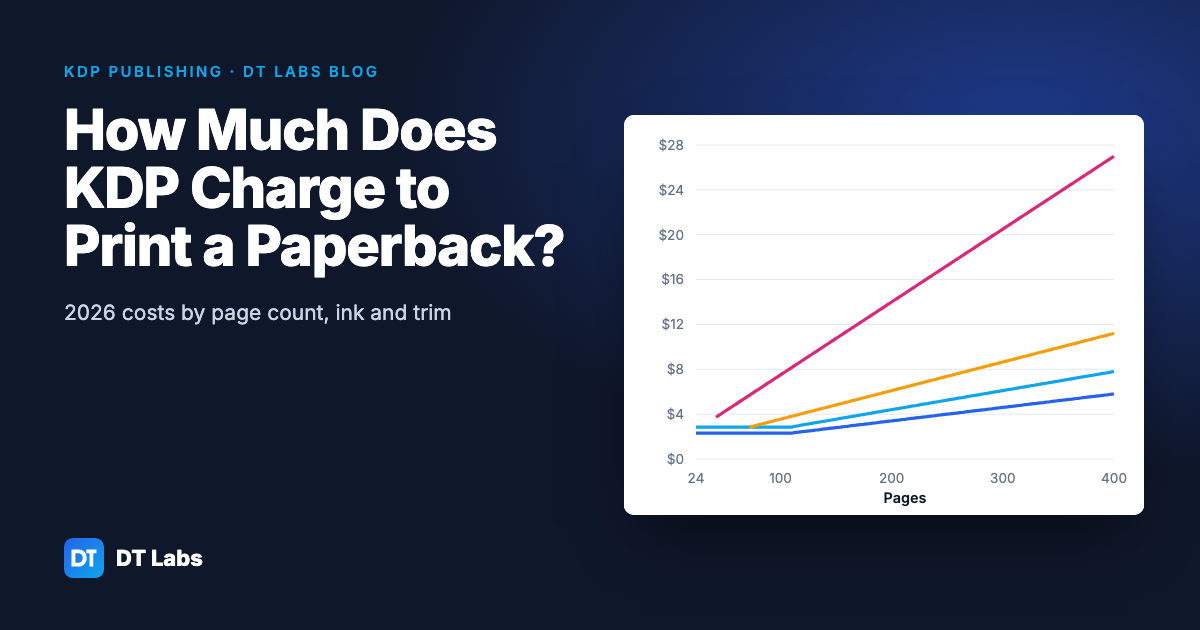
How Much Does KDP Charge to Print a Paperback? (2026 Costs)
KDP's printing cost is a fixed charge plus a charge per page, set by ink and trim size. Here are the 2026 Amazon.com figures, worked examples by page count, and how printing cost sets your lowest list price.
Nov 2, 2026 · 4 min read
Trim Size for Puzzle Books: 6×9 vs 8×10 vs 8.5×11
Which KDP trim size suits word search, sudoku, crossword, maze, bingo and coloring books — with letter sizes, printing costs and margins for each.
Oct 31, 2026 · 4 min read