
How to Make a Word Search Book for Amazon KDP (2026 Guide)
Make a word search book for Amazon KDP step by step: theme, trim size, grid size, answer keys, cover, pricing and upload — with free tools and real KDP numbers.
By Dau Le · · 10 min read
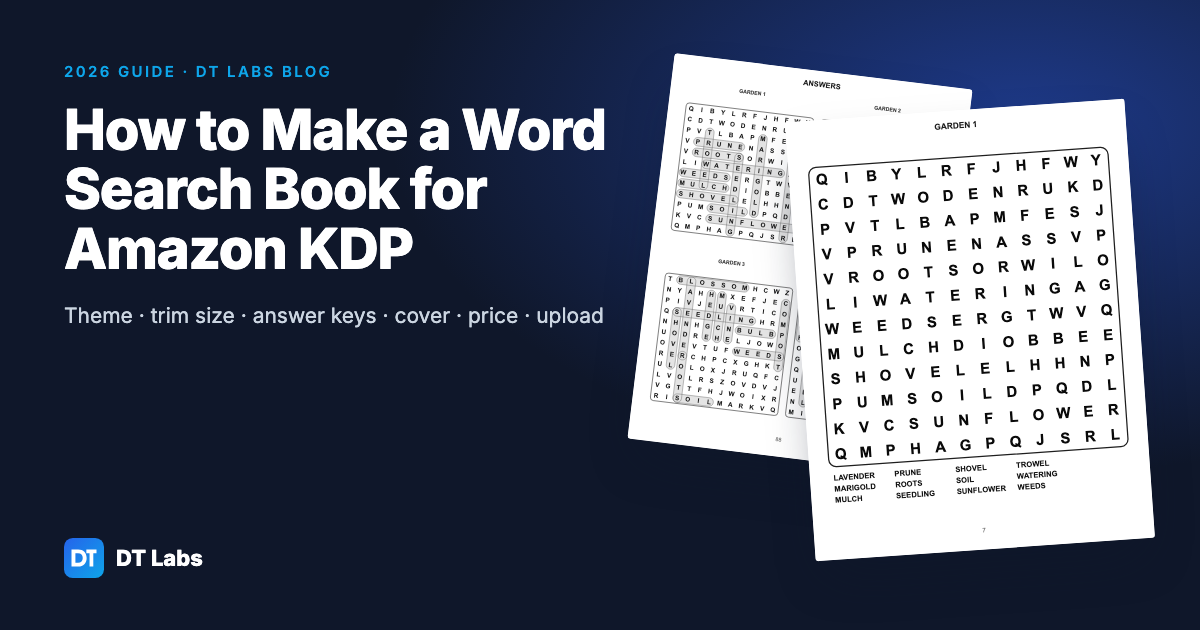
A word search book is one of the most approachable print books you can publish on Amazon KDP: a themed set of puzzles, an answer section at the back and a cover. This guide walks through the whole process — research, theme, page size, grids, answer keys, cover, listing, price and upload — with the numbers KDP actually checks and the mistakes that most often lead to rejected files or disappointed reviews.
In short: pick a specific audience and theme, use 8.5 × 11 in for large print or 6 × 9 in for travel size, build 50–100 puzzles with a generator that checks every answer, put the answers at the back, size the cover to your exact page count, and order a printed proof before you publish.
What do you need to make a word search book?
You need five things: a theme with enough word lists for 50–100 puzzles, a word search maker that exports print-ready pages with answer keys, a cover sized for your page count, a free Amazon KDP account, and about two hours for the listing and checks. You do not need design software, and you do not need an ISBN for a low-content puzzle book.
A free tool such as the DT Labs word search maker builds the whole interior — title page, instructions, puzzle pages, answer pages and page numbers — and exports it as a single PDF that matches KDP's trim sizes and margins.
| You need | Free option | Time |
|---|---|---|
| Theme and word lists | Your own research, built-in themes | 30–60 min |
| Interior PDF with answers | Word search maker | 15–30 min |
| Cover PDF | Any design tool + the spine width calculator | 30–90 min |
| Listing and upload | KDP | 30 min |
| Printed proof | KDP (paid at printing cost) | a few days by post |
How do you choose a theme that people search for?
Pick a theme with a clear buyer, then make each puzzle a sub-topic of it. "Large print word search for seniors — 1950s and 1960s nostalgia" tells a shopper exactly who the book is for; "word search book" does not, and it competes with thousands of near-identical titles.
Strong word search themes usually combine three parts:
- Who it is for: seniors, kids aged 6–8, teens, nurses, teachers, new mums, dog owners
- What it is about: birds, gardening, Bible names, cooking, a decade, a sport, a holiday season
- How it is printed: large print, one puzzle per page, pocket size, extra-hard grids
How do you check a theme on Amazon before you build it?
Type the theme into the Amazon search bar and read the suggestions that drop down — those are phrases people actually type. Then look at the first page of results:
- Are the top books on the theme, or just generic? Generic results mean the theme is open.
- How many reviews do the top five have? If all of them have hundreds, narrow the theme (for example from "gardening" to "vegetable gardening for beginners").
- What do the low reviews complain about? Small print, wrong answers and repeated words are common — each one is a feature you can do better.
- What do the covers look like? If every cover looks the same, a clearly different cover helps yours stand out in the thumbnail grid.
Write down the words buyers use in titles and reviews. They become your subtitle, your keywords and often your puzzle titles.
What trim size should a word search book use?
8.5 × 11 in is the usual choice: it fits one large puzzle per page and is the standard for large print. 6 × 9 in suits travel-size books with smaller grids or two puzzles per page. Both are standard KDP trim sizes for paperbacks.
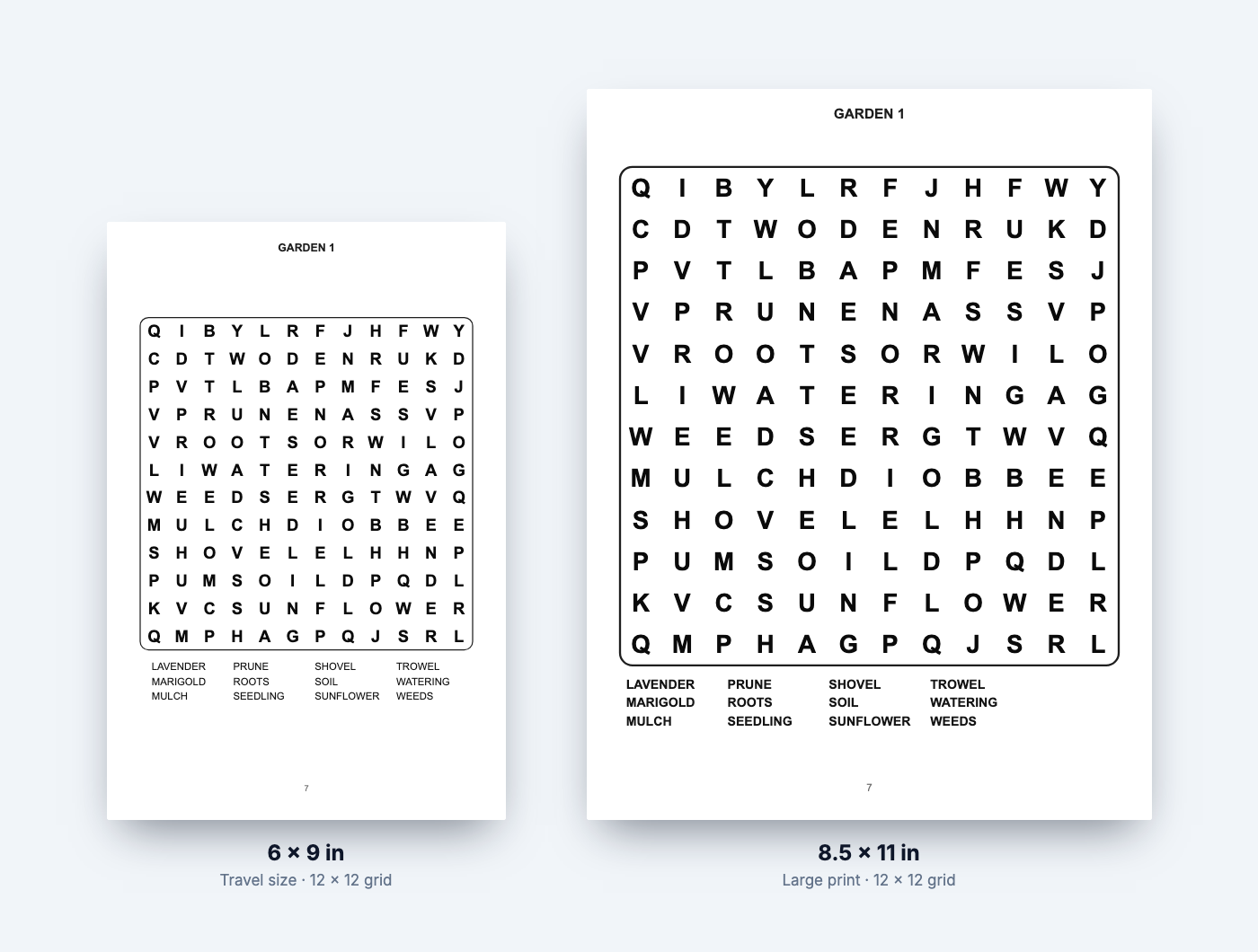
Margins on KDP depend on the page count. For 24–150 pages the inside margin (the gutter, next to the spine) must be at least 0.375 in, and outside margins at least 0.25 in without bleed. Thicker books need a wider gutter. Puzzle interiors do not need bleed, because nothing is printed to the edge of the page. The trim size and margin guide gives the gutter for any page count.
| Trim size | Best for | Grid that reads well | Puzzles per page |
|---|---|---|---|
| 8.5 × 11 in | Large print, seniors, kids | 10 × 10 to 15 × 15 | 1 |
| 8 × 10 in | Kids, activity books | 10 × 10 to 13 × 13 | 1 |
| 6 × 9 in | Travel size, adults | 12 × 12 to 15 × 15 | 1–2 |
How big should the grid be, and how many words per puzzle?
For adults, a 15 × 15 grid with 15–20 words is standard. For large print books, use a 10 × 10 to 12 × 12 grid with bigger letters and 10–15 words. For young children, 8 × 8 to 10 × 10 with short words, and leave out backwards and diagonal words.
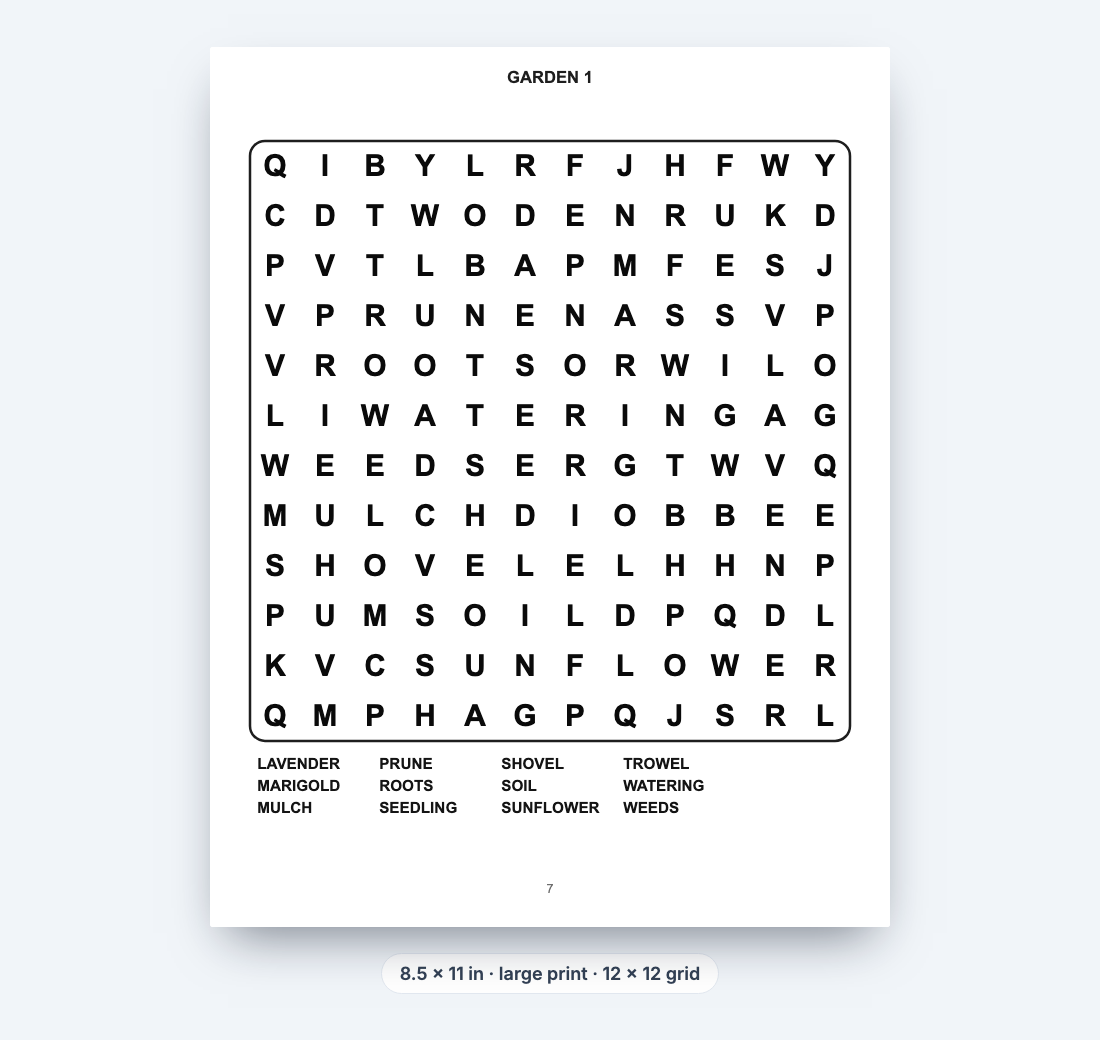
Keep each puzzle on its own sub-theme ("Garden Birds", "Spring Flowers") and print the word list under the grid. Three details make a puzzle feel fair:
- Every word appears exactly once. A word that hides twice — or inside a longer word — makes the answer key wrong. A good generator checks this after the grid is filled.
- The filler letters do not spell accidental words. Random filler occasionally produces rude or confusing words; regenerate any puzzle that does.
- Difficulty matches the reader. Large print books should run mostly forwards and downwards; harder books can add backwards and diagonal words.
What puzzle variations can you add?
Variety keeps a long book interesting and gives you a subtitle hook:
- Hidden message: when all words are found, the leftover letters spell a saying
- Shaped grids: hearts, stars, pumpkins or trees for seasonal books
- Number search: digits instead of letters
- Picture clues: small drawings next to words, for children who are still learning to read
The word search maker includes all four, so one book can mix them.
How many puzzles should the book have?
Most word search books have 50–100 puzzles plus their answers. With one puzzle per page and four answers per page, 80 puzzles make about 100 interior pages once you add a title page and instructions.
KDP paperbacks need at least 24 pages. Text on the spine is only allowed from 79 pages, so aim higher than that if you want the title on the spine. More pages also cost more to print — see the pricing section below before you settle on a number.
How do you add answer keys?
Put the answers at the back of the book, two to six per page, in the same order as the puzzles. Each answer shows the grid with the hidden words highlighted, under the same title and number as its puzzle.
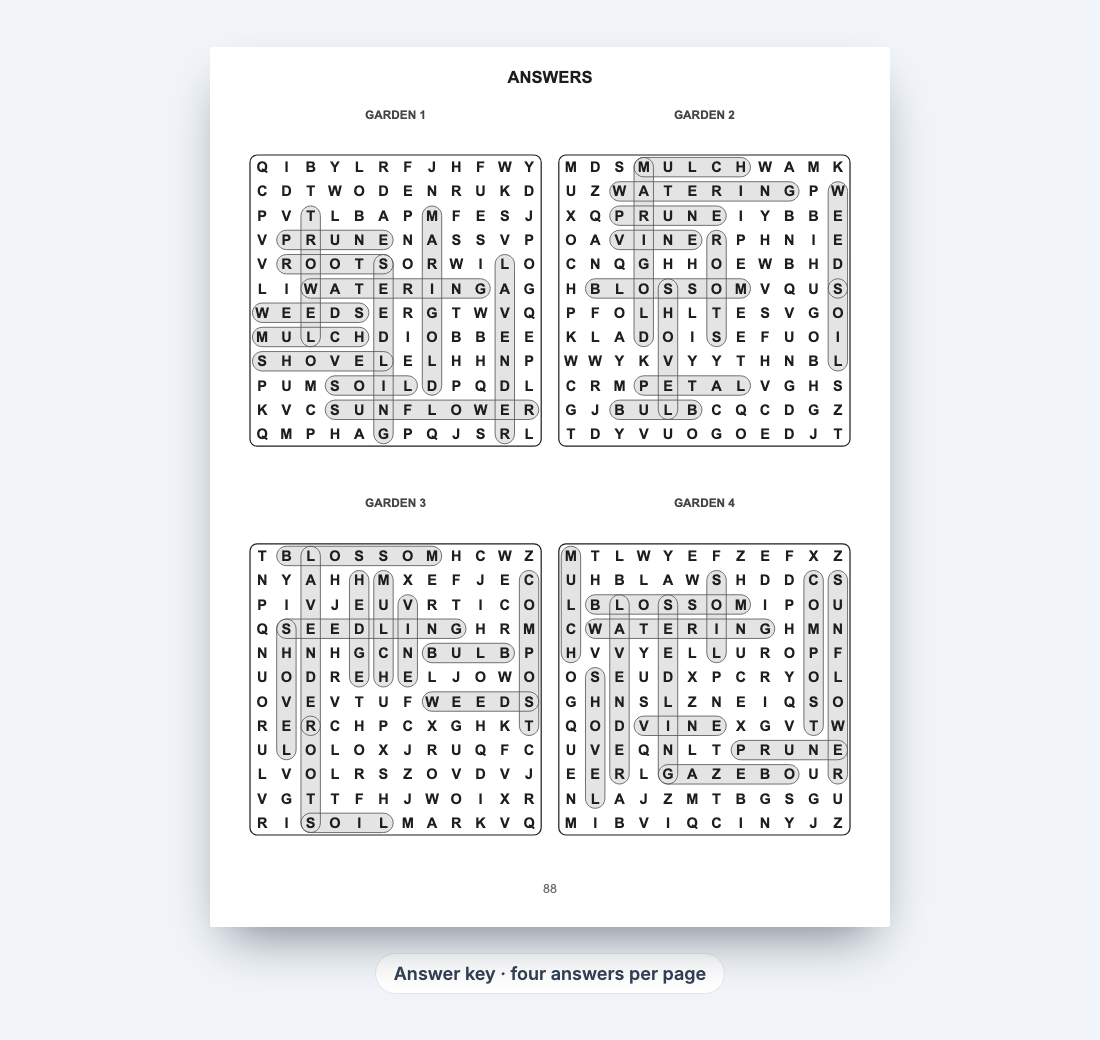
Readers do leave reviews about missing or wrong answers, so check a few by hand before you publish. In the DT Labs maker the answer pages are generated with the puzzles, and the generator verifies every word appears exactly once before you ever see the grid.
What should the interior look like before you upload it?
Run through this checklist on the final PDF:
- Title page with the book title (and your name or brand)
- A short "how to play" page — helpful for gift buyers and children
- Every puzzle has a title and a number; answers use the same numbers
- Page numbers on puzzle and answer pages
- No text inside the outer 0.25 in or the gutter
- An even total page count (KDP adds a blank page otherwise)
- Fonts embedded — PDFs exported by the word search maker already are
How do you make the cover?
A paperback cover is one image: back cover, spine and front cover side by side, with 0.125 in of bleed on the outer edges. Its width depends on your page count and paper, so finish the interior first.

- Export the interior first, so you know the exact page count.
- Work out the full cover size with the spine width calculator — white paper adds 0.002252 in per page. KDP's own cover calculator gives the same numbers and a template.
- Design the front for a thumbnail. On Amazon the cover is often shown about 160 pixels wide, so the title needs large, high-contrast letters. Show a sample grid so shoppers recognise a word search at a glance.
- Put the audience on the cover. "Large Print", "For Seniors" or "For Kids 6–8" in a bold band answers the shopper's first question.
- Leave the barcode space clear. If you use your own ISBN, add a barcode on the back with the ISBN barcode generator. With a KDP-assigned ISBN or no ISBN, KDP places its own barcode in the lower right of the back cover.
Do you need an ISBN for a word search book?
No. When you set up the paperback, KDP lets you mark it as a low-content book, and then an ISBN is optional. The trade-off: a low-content book without an ISBN cannot use Expanded Distribution to bookshops and libraries. If you want that channel, take a free KDP ISBN instead.
How do you write the title, subtitle and keywords?
Shoppers scan titles, so put the most important words first and keep each field honest — KDP rejects titles that are stuffed with keywords.
- Title: the theme and format, for example "Large Print Word Search for Seniors".
- Subtitle: the details that sell it, for example "80 Garden and Nature Puzzles with Solutions — Easy to Read".
- Keywords: KDP gives seven keyword boxes. Use phrases buyers type that are not already in your title, such as "gift for grandma", "brain games for adults" or "activity book for retirees".
- Categories: choose the categories where similar puzzle books appear, so readers browsing them find yours.
- Description: say who it is for, how many puzzles, the print size, that answers are included, and what the themes are. Short paragraphs and a bullet list read well on a phone.
How should you price a word search book?
Price it against similar books in your theme, then check what you earn per copy. On Amazon.com, KDP pays 60% of the list price for paperbacks priced at $9.99 or more and 50% below $9.99, minus the printing cost.
For example, an 8.5 × 11 in, 104-page black-and-white book costs $2.84 to print in the US. At $7.99 the royalty is 50% × $7.99 − $2.84 ≈ $1.16 per copy; at $9.99 it is 60% × $9.99 − $2.84 ≈ $3.15. The full breakdown is in KDP paperback royalties and the 50% rule, and you can try your own numbers in the KDP royalty calculator. Prices and print costs change, so confirm in KDP's printing cost and royalty calculator before you publish.
How do you upload the book to KDP?
- In KDP, create a new paperback and fill in the title, subtitle, description, keywords and categories.
- Pick the low-content option or an ISBN, choose the trim size and paper, then upload the interior PDF and the cover PDF.
- Open the online previewer and fix anything it flags — usually margins, or a cover that is a few pages too wide or narrow because the page count changed.
- Set the price, then order a printed proof before you publish, so you see the paper, the letter size and the answers as a buyer will.
- Publish. A new paperback usually appears on Amazon within a few days of approval.
What mistakes get word search books rejected or badly reviewed?
- Text in the margins: page numbers or grid lines inside the outer 0.25 in or the gutter. Fix the layout rather than shrinking the page.
- A cover for the wrong page count: adding or removing puzzles changes the spine width. Re-export the cover after any interior change.
- Wrong or missing answers: the most common complaint in reviews. Use a generator that verifies answers, and spot-check by hand.
- Letters too small for the audience: a "large print" book with 15 × 15 grids at 6 × 9 in will disappoint. Match the grid to the trim size.
- Repeated puzzles: the same word list in two puzzles feels like padding. Give every puzzle its own sub-theme.
A faster way to make the interior
The slow part of a word search book is not the idea, it is building 80 grids, laying them out and making sure every answer is right. The DT Labs word search maker does that in your browser: pick a theme or paste your own word lists, choose large print, hidden messages or shaped grids, and export a KDP-ready PDF with answer keys.
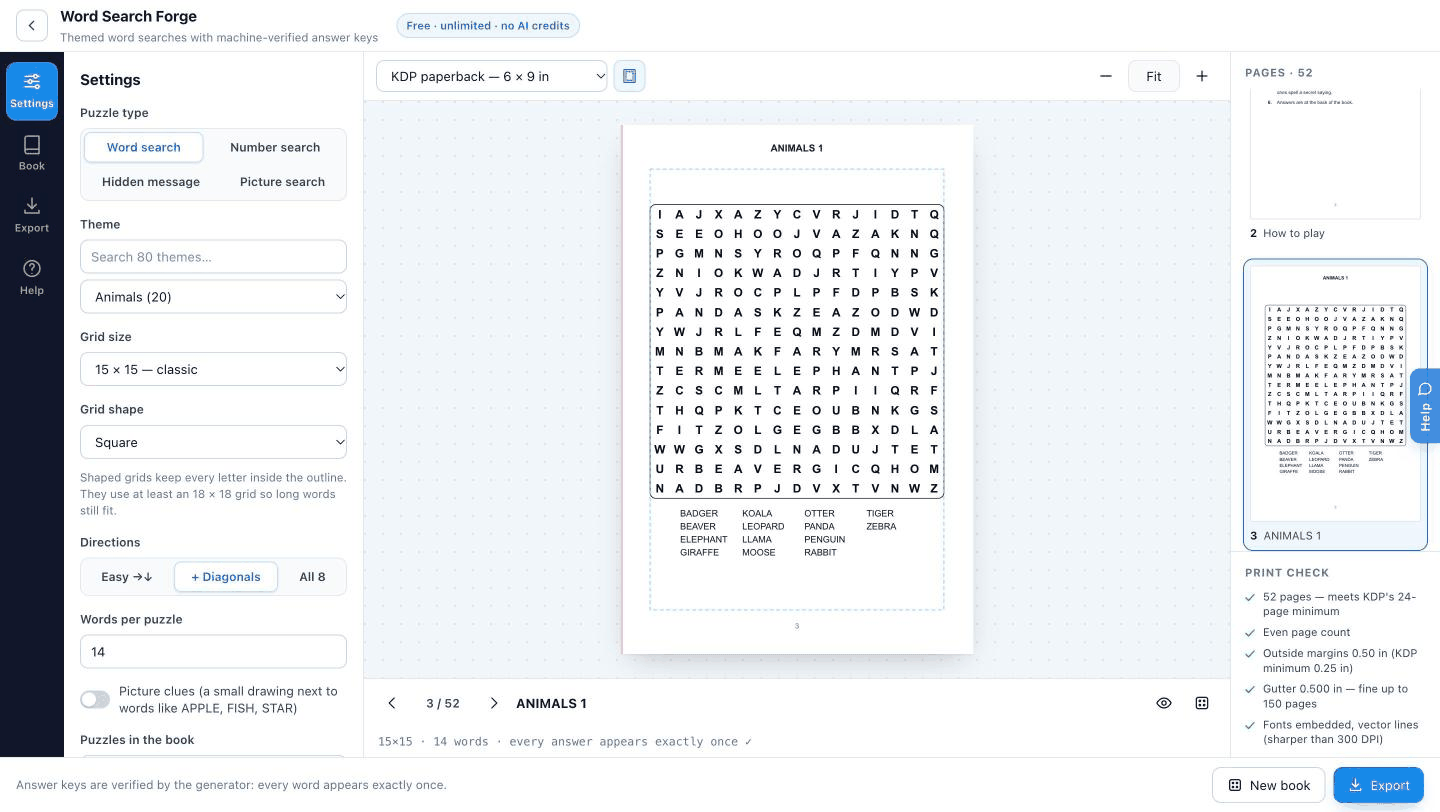
It is free, the export has no watermark, and you can sell what you make. If you prefer to watch the process, the video below walks through a full book from start to finish.
Frequently asked questions
How long does it take to make a word search book for KDP?
With a generator, the interior takes well under an hour; most of the time goes on choosing the theme, writing word lists and designing the cover. Allow a few days more for a printed proof.
Can I sell word search books made with a free generator?
Yes, if the generator grants a commercial licence for its output. Check the licence before you publish — DT Labs exports can be sold on KDP and Etsy without attribution.
Should a word search book have answers?
Yes. Buyers expect an answer section, and missing or wrong answers are a common complaint in reviews.
What is a good page count for a word search book?
Around 100 pages is common: 70–90 puzzles with answers at four or six per page. KDP's minimum is 24 pages, and spine text needs at least 79.
What size font should a large print word search use?
Large enough that each letter sits comfortably in its own square at arm's length — in practice a 10 × 10 to 12 × 12 grid filling most of an 8.5 × 11 in page. Order a proof and read it without glasses if your audience is older readers.
Do word search books need bleed?
No. Puzzle interiors are printed inside the margins, so choose "no bleed" for the interior. The cover always needs 0.125 in bleed on its outer edges.
Christmas Activities for Seniors: Large Print Puzzles, Bingo and Carols
Christmas activities for seniors at home, in care homes and in church groups — large print Christmas word searches, bingo, carol cryptograms, crosswords and ornament coloring pages, with free printables and answers.
Nov 2, 2026 · 4 min read
Christmas Activities for Kids: 12 Printable Games and Puzzles
Twelve Christmas activities for kids at home and in the classroom — word searches, bingo, tree and snowman mazes, dot-to-dots, crosswords and an advent puzzle calendar — with free printables and answers.
Nov 2, 2026 · 4 min read
Printable Activities for Seniors: 10 Ideas and a Weekly Plan
Ten printable activities for seniors at home, in care homes and in community groups — large print word searches, bingo, easy sudoku, proverb cryptograms, crosswords and coloring — plus a simple weekly plan, all free to print.
Nov 2, 2026 · 4 min read