
Lesson 28 of 47 · 11 min read
Making a logic puzzle book
Build a 120-page, 6 × 9 in sudoku book that gets harder as it goes, then see the other logic makers.
A logic puzzle has to work. A solver who gets stuck on a puzzle with two possible answers will blame the book, and fairly. So in this lesson we let a solver check every puzzle, then use our effort on what a generator cannot judge: who the book is for and how it feels to work through it.
We will build a different book from the Garden Word Search example: a 6 × 9 in sudoku book to carry around, with 100 puzzles that get harder as you go. Sudoku Press opens with a free account, which builds and previews the whole book. Free-account exports carry a DT Labs watermark, and DT Labs Membership exports clean files with a commercial licence.
Step 1: Write the buyer sentence
Commuters who already know sudoku and want a book that fits in a bag and lasts a few weeks.
That sentence sets three choices: a small page, classic rules with no how-to fuss, and enough puzzles to last. Readers like this are not beginners, but they still like to warm up.
KDP says puzzle books are generally not low-content, so you can use the free ISBN. Confirm how your own book is classed when you set it up.
Step 2: Set up the puzzles
Open Sudoku Press and pick KDP paperback — 6 × 9 in from the menu above the page.
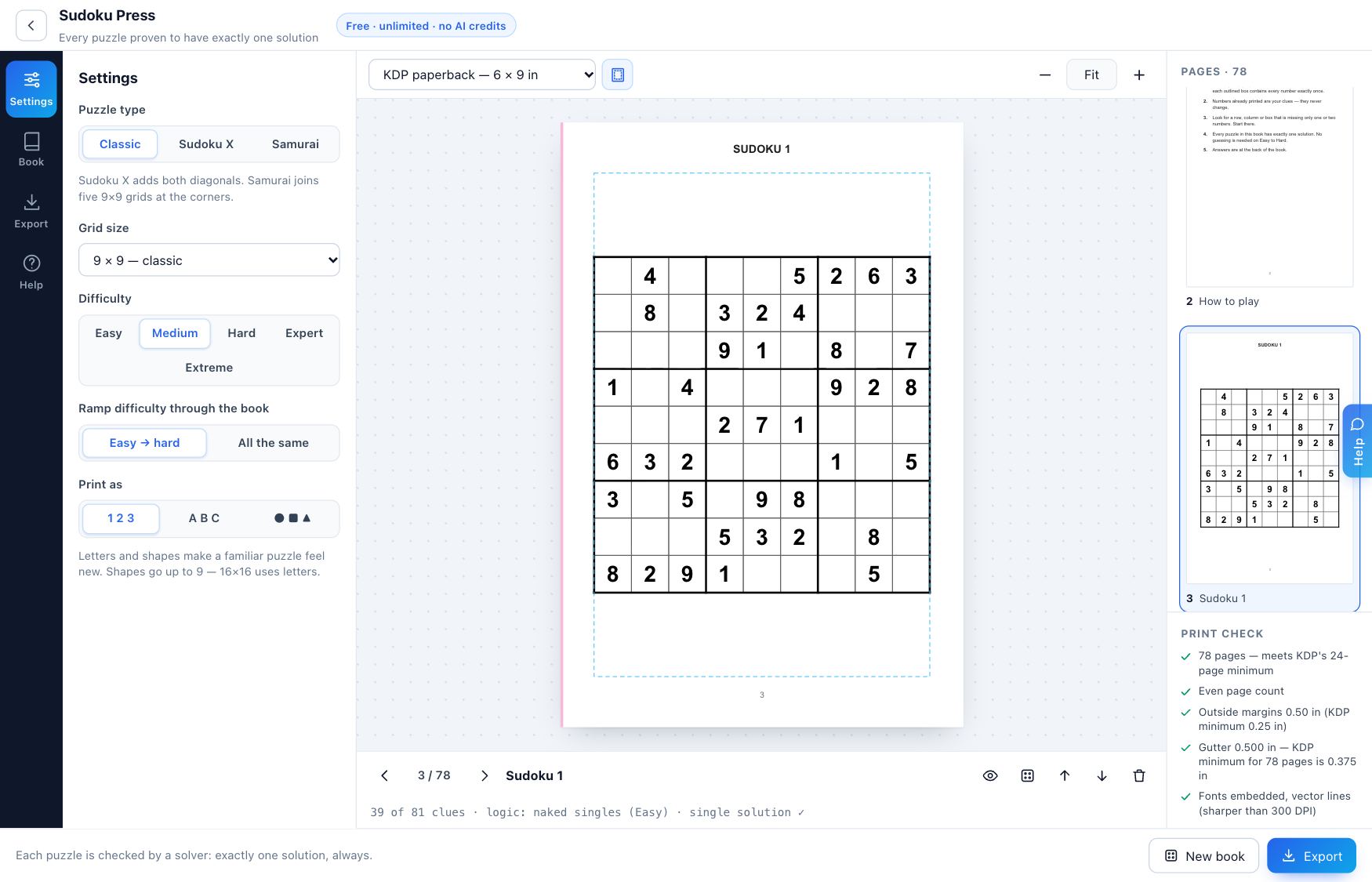
In Settings:
- Puzzle type: Classic.
- Grid size: 9 × 9.
- Difficulty: Hard.
- Ramp difficulty through the book: Easy → hard.
- Print as: 1 2 3.
Settings 3 and 4 work together, and they are easy to misread. With the ramp on, the Difficulty setting is where the book ends. It starts up to two levels lower. So choosing Hard gives you easy puzzles, then medium, then hard, in roughly equal thirds. If you leave it on Medium, your book stops at Medium.
Check that against your cover. If you plan to say "easy to hard", choose Hard here.
Step 3: Set up the book
Open the Book tab.
- Sudokus in the book: 100.
- Sudokus per page: 1. On this page size, one grid stays clear and leaves room for pencil marks. Two would give you more puzzles and tighter grids.
- Answer key: At the back.
- Answers per page: 6. Six keeps the answer section short without hiding anything.
- Title page and How to play page: on.
- Pad to an even page count: on.
Now count the pages:
| Part | Pages |
|---|---|
| Title page | 1 |
| How to play | 1 |
| Puzzles | 100 |
| Answers (100 ÷ 6, rounded up) | 17 |
| Blank page to make the total even | 1 |
| Total | 120 |
The caption under each page shows what you are looking at: how many clues it has, the logic level it needs and a tick for a single solution.
Step 4: Check what a machine cannot
The app counts solutions after removing each clue, and puts a clue back if removing it would allow a second answer. You do not need to re-prove that. Instead, check the experience:
- Solve a few by hand. Do one puzzle from the start, one from the middle and one from the end. Does the change in difficulty feel fair?
- Print one page at real size. Are the digits comfortable? Is there room for pencil marks?
- Read the how-to page. Does it fit your reader?
- Check an answer. Compare one finished puzzle with its answer page.
Three puzzles are enough to feel the ramp and catch a layout you dislike.
Step 5: Read the sums
Your print check should pass every line. Here is the money and the spine:
| Item | Our book |
|---|---|
| Pages | 120 |
| Printing, 6 × 9 in, black ink | $2.44 |
| Royalty at $9.99 | $3.55 |
| Spine on white paper | 0.270 in |
| Gutter in the app | 0.500 in, against a 0.375 in minimum |
At 120 pages the book is long enough for spine text, since KDP allows that from 79 pages. Export PDF — whole book for your interior (a clean file without a watermark needs DT Labs Membership).
The other logic makers
Sudoku is a crowded niche, and that is where a less common puzzle can help. All of these work the same way, and all open with a free account. Use the same steps: buyer, trim, puzzle count, answers, print check. Look up demand for each one in your research sheet before you build.
| Maker | What it makes | Worth knowing |
|---|---|---|
| Sudoku Press | Classic, Sudoku X, Samurai, 4 × 4 to 16 × 16 | Letters or shapes in place of digits |
| Mathdoku Bench | Arithmetic cage puzzles, 3 × 3 to 9 × 9 | Choose operations; expert mode hides them |
| Kakuro Bench | Number crosswords | Four grid sizes and three levels |
| Nonogram Works | Picture logic puzzles | Your own images, or the library |
| Bimaru Yard | Hidden fleet puzzles | Fleet key printed under each grid |
| Crossword Compositor | Clue and fill-in crosswords | Write your own clues or use built-in sets |
| Cryptogram Desk | Coded quotes | Built-in quotes are public domain, and your own must be yours to use |
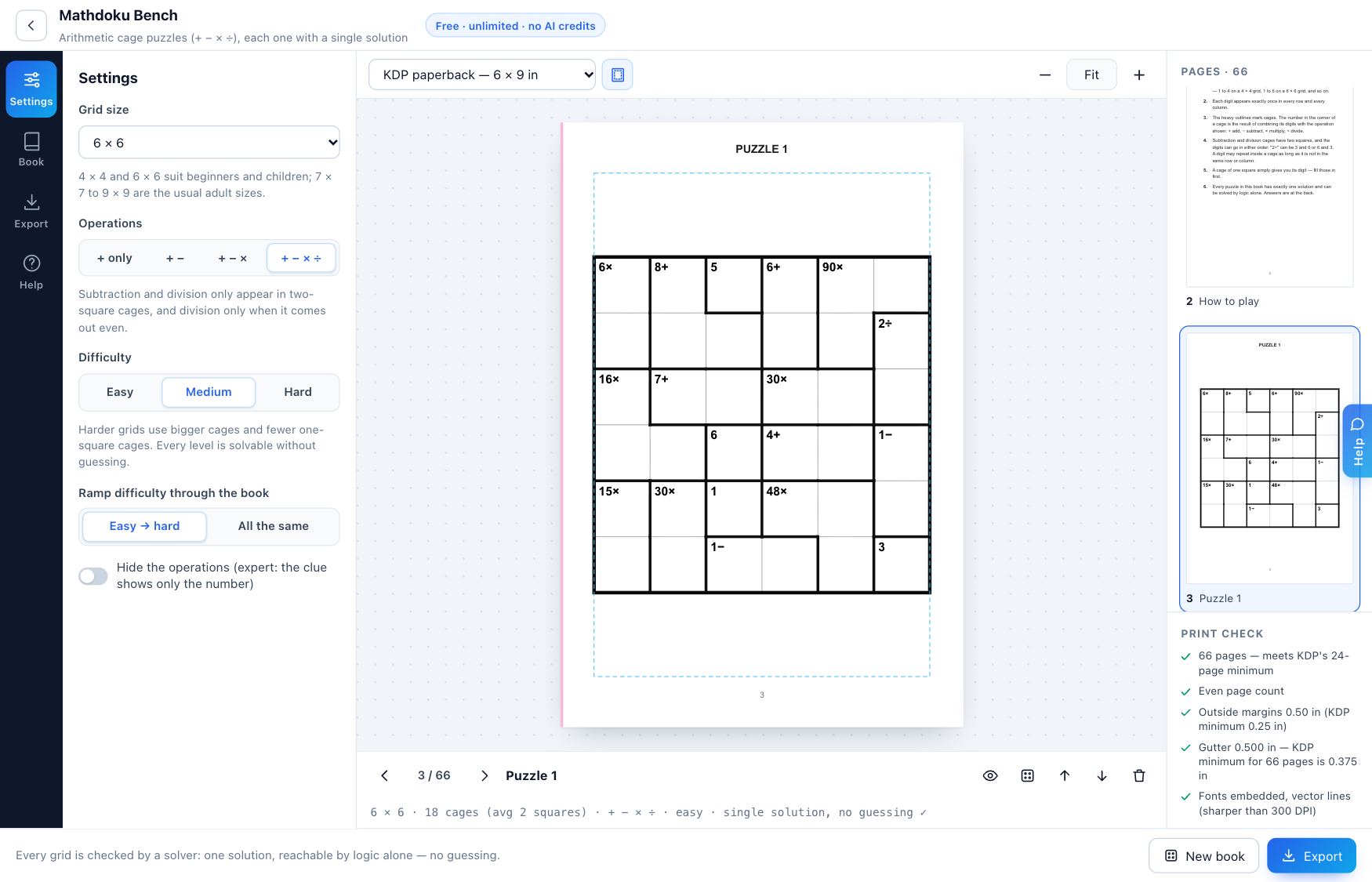
A book for one puzzle type sells a clear idea. A mixed book needs a good reason, since each maker exports its own file and you would have to combine them yourself. For a first book, keep to one type.
Common mistakes
- Promising a range the book does not have. Match the cover to the ramp setting.
- Hardest puzzles first. A book that starts hard loses people on page three.
- Too many grids per page. On 6 × 9, four to a page leaves very little room to write.
- Puzzles from another book. Use your own generated puzzles, and do not copy a book's look or layout.
Your task
Build a logic book of your own, using a puzzle type that held up in your research. Finish with:
- The interior PDF.
- A filled-in table of page parts, like ours.
- Your printing cost and royalty from the calculator.
- Notes from solving three puzzles by hand.
— The DT Labs team